Keyboard Mode Dark Android

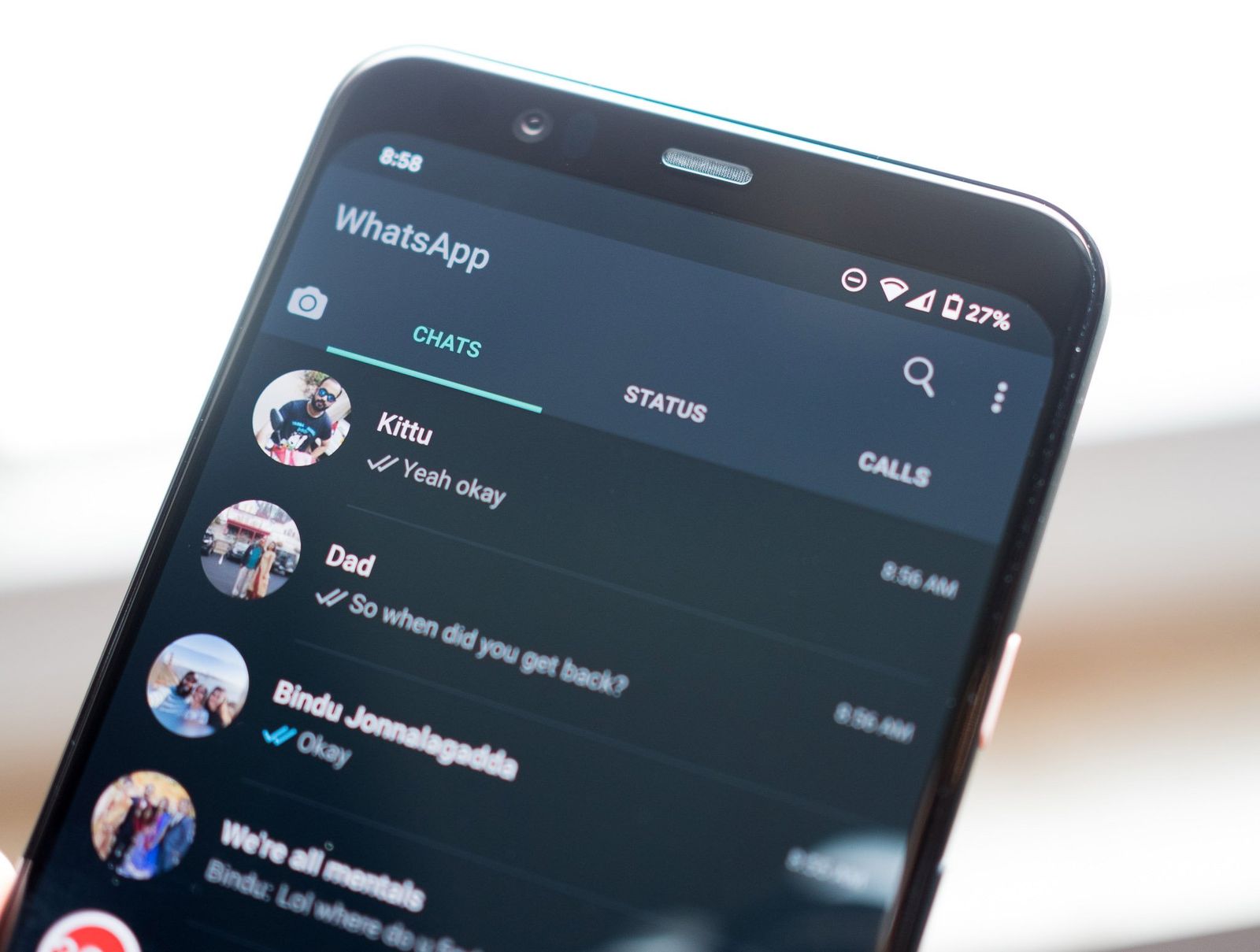
Today i am going to show you an effective approach to shop battery all with darkish mode on android.. every single method with (step-with the aid of-step) implementation. in ultimate 12 months’s android dev summit 2018, google shares some statistics and stats which indicates the difference how dark mode saves greater battery. the dark mode will store around 43% more power than the ordinary mode in full brightness while watching. There are three approaches to permit darkish subject in android 10 (api stage 29) and better: use the machine placing (settings -> display -> subject matter) to permit dark subject. use the quick settings tile to replace issues from the notification tray (once enabled). on pixel devices, deciding on the battery saver mode permits dark subject at the same time. If you are a fan of keyboard mode dark android dark keyboards, you can use our black fashion keyboard 2020 to personalize your phone or pill, the manner you need to. with terrific hd . Gboard, also referred to as google keyboard, is a virtual keyboard app evolved through google for android and ios. this keyboard gives drift typing, voice typing, and extra functions. gboard additionally gives a darkish theme. this wikihow will train you a way to allow darkish theme in gboard!.
The way to enable dark topic on gboard keyboard mode dark android step 1 –. first make certain that you have the latest model (7. 6. thirteen) of gboard in your android telephone. if no longer, head step 2 –. now, go to the gboard settings. gboard settings can be found within the app drawer or through establishing up the keyboard step three –. underneath. The a laugh aspect about the chrooma keyboard app is the adaptive coloration mode, i. e. it can mechanically adapt to the shade of the app you are the use of and make the keyboard appear to be it's miles part of.
A Way To Enable Android Darkish Mode Everywhere It Is To Be Had
Jul 14, 2020 · darkish mode in keyboard!! keyboard issues the way to permit dark mode in keyboard?? a way to change subject matters in keyboard?? all solutions are given on this video.. if you like our video plzz do subscribe!!. Inside the search bar for chrome flags, look for “ android chrome ui dark mode. ” you need to be capable of see the flag with out typing the complete word. tap on “default” and pick “ enabled. ” you'll. Gboard, additionally known as google keyboard, is a digital keyboard app developed with the aid of google for android and ios. this keyboard gives waft typing, voice typing, and greater functions. gboard additionally provides a darkish theme. this wikihow will educate you the way to enable dark subject in gboard!.
Dark mode android modern day 2. 13 apk download and installation. activate the android dark mode. darken instagram, google pix and greater. Oct 09, 2018 · maintain studying beforehand and follow the step-via-step guide given below to permit the darkish subject to your telephone’s gboard. the way to allow darkish subject matter on gboard. step 1 first make certain that you have the modern-day model (7. 6. thirteen) of gboard to your android telephone. if no longer, head on to play keep and replace your app. Among night mode and the tool subject, you’ll be the use of darkish mode anywhere it’s possible on android. that is, apart from apps that use independant modes which includes google play games. Mar 07, 2019 · enable darkish mode in google news. studying the information/articles is both time and battery eating thing. and the brand new google news app comes with the inbuilt characteristic to allow darkish mode during the app for android users. so, download the up to date google information app in your android smartphone.
Black keyboard subject brings cooler and smarter typing to existence. black keyboard subject is the first-rate keyboard subject for easy fashion fanatics. enhance your . 9 mei 2019 its appears based to your android q colour accents and dark mode keyboard mode dark android settings if you have not manually selected a subject matter, google's keyboard will . There are 3 approaches to permit dark theme in android 10 (api degree 29) and better: use the device setting (settings -> display -> theme) to allow dark subject matter. use the short settings tile to replace themes from the notification tray (as soon as enabled). on pixel gadgets, selecting the battery saver mode permits dark subject matter at the equal time.
See extra films for android darkish mode keyboard. Feb 14, 2020 · what's new in v7. 4. nine. 9. your swiftkey keyboard now supports dark mode. darkish mode is to be had as an choice on android 10 (and better). your swiftkey settings now provide a brand-new appearance. 12 des 2018 is there any way to also make the keyboard darkish if you have darkish mode certain, the ones terms like "pure android", "satisfactory digicam", "updates" are accurate, however .
On android 9, the settings menu and other interface elements, like the notifications that pop up below the fast settings, remain keyboard mode dark android tinted to a mild topic including a white historical past and black textual content. but, in case you know the way to alternate your android wallpaper, you could pair darkish mode with a lighter wallpaper for a more steady enjoy. Greater android dark mode keyboard pics. 4 jan 2020 how to force gboard to observe android's system darkish mode toggle. if you've ever set a topic on gboard, the keyboard probable might not obey the .
A Way To Exchange Google Keyboards Subject On Android
2 jul 2020 gboard, additionally referred to as google keyboard, is a virtual keyboard app advanced with the aid of google for android and ios. this keyboard gives waft . Jun 18, 2020 keyboard mode dark android · android dark mode is a theme based on blacks and darkish colours which are simpler at the eyes than the whites and lighter colors of light mode. right here's how to turn on darkish mode on android nine and 10. Google's home-brewed keyboard, the aptly dubbed gboard, is all set to receive devoted darkish mode and lens ai integration. it's based totally on a recent teardown of the app's model 9. 6 apk accomplished. Feb 28, 2020 · darkish mode is available as an option for gadgets strolling android 10. swiftkey keyboard is one of the famous keyboard apps for android smartphones. microsoft’s swiftkey keyboard these days crossed 500 million installations on google play shop. for the sake of contrast, google’s gboard app is set up on more than 1 billion android smartphones.
Swiftkey settings now help dark mode. darkish mode is available as an option for gadgets running android 10. swiftkey keyboard is one of the popular keyboard apps for android smartphones. microsoft’s swiftkey keyboard lately crossed 500 million installations on google play keep. for the sake of contrast, google’s gboard app is set up on greater than 1 billion android smartphones. How to permit chrome for android’s dark mode. ultimately, regardless of whether or not you operate the dark mode, the shade or the topic of the keyboard does not change with it. however in maximum of the instances. Dark mode in keyboard!! keyboard issues a way to permit dark mode in keyboard?? the way to alternate topics in keyboard?? all answers are given in this video.. if you want our video plzz do subscribe!!. The a laugh element about the chrooma keyboard app is the adaptive colour mode, i. e. it may automatically adapt to the color of the app you're the use of and make the keyboard appear like it is part of.


Komentar
Posting Komentar