Dark For Ig Android Mode

Cara darkish mode ig bagi pengguna android dan ios aplikasi instagram atau ig merupakan aplikasi yang sangat penting. baik itu digunakan untuk eksistensi diri maupun mensosialisasikan produk atau jasa dalam urusan bisnis kita. namun terkadang banyak orang yang merasa cepat bosan dengan tampilan pada ig yang itu-itu saja. jika anda merasa tampilan ig itu-itu saja atau terlihat monoton dengan. Happily, there may be a definitely easy manner to exchange from the everyday mild mode to a darkish mode appearance inside the iphone and android app. for the longest time, the best manner to get darkish mode in instagram become to use an unofficial ig client or jailbreak. Tirto. identity instagram telah melakukan pembaruan aplikasi untuk ios thirteen dengan dukungan tema gelap atau dark mode, selasa (eight/10/2019). di android, dukungan ini belum diterima luas kecuali mereka pemilik perangkat dengan sistem operasi (os) android 10. meski begitu, pengguna phone android masih bisa menjajal dark mode asal bergabung dengan instagram beta program. Oct 09, 2019 · related searches: dark mode instagram android 2019, instagram dark mode samsung. conclusion. so this changed into the best approach to permit darkish mode on instagram. average a good information for all instagrammers where now they are able to enjoy dark mode which may be quite useful for lots motives like lowering eyestrain and battery-saving.
Karena android 10 sudah mendukung fitur dark mode gadget wide. tapi jika ponsel kalian menggunakan skin atau antarmuka yang mendukung darkish mode seperti one ui buatan samsung, kalian. Jun 18, 2020 · android darkish mode is a theme primarily based on blacks and dark colours which might be easier at the eyes than the whites and lighter hues of mild mode. here's how to turn on dark mode on android 9 and 10. Instagram dark mode for android. to enable instagram's darkish mode for smartphone jogging android 10, absolutely observe these 4 steps: open your cellphone's settings; scroll all the way down to 'display'. Instagram dark mode for ios thirteen and android 10 has eventually arrived. instagram darkish mode for desktop instagram dark mode for ios thirteen instagram darkish mode for android 10 replace 06. 09. 2019 instagram is one of the most famous and fastest growing social media systems. at the start released for ios most effective, nowadays it's far available for android and computer.
How To Use Instagram Dark Mode In Four Clean Steps Techradar
Darkish mode adjusts the colours on your screen for a darker appearance. to show on darkish mode for instagram, go to your ios or androiddevice settings. keep in mind that: you’ll want to replace your tool’s operating device to ios 13 or android 10 in addition to your instagram app. via turning on darkish mode for your tool’s settings, you could see dark mode activated on numerous apps, no longer just instagram. Instagram darkish mode on android 10 legitimate technique which will permit a global dark mode in an effort to have an effect on the instagram app observe the ones steps: 1. visit settings to your tool 2. visit display three. pick out darkish design (even though this could range relying on the producer) four. revel dark for ig android mode in dark mode on instagram. To show on darkish mode for instagram, visit your ios or android tool settings. hold in thoughts that: you’ll want to replace your tool’s running device to ios 13 or android 10 in addition to your instagram app.

Oct 11, 2019 · other social media apps have been running to support darkish mode on ios 13 and android for the reason that roll out, too. again in september 2019, twitter updated to integrate its darkish mode with the ios thirteen. Other social media apps were operating to help darkish mode on ios thirteen and android because the roll out, too. returned in september 2019, twitter up to date to integrate its dark mode with the ios thirteen. The brand new version dark for ig android mode of instagram helps dark mode and is extra strong on most android smartphones walking android 9 pie and android 10. there's no toggle to turn at the dark mode particularly for instagram. if you want to use it, you need to turn on the machine-huge darkish mode from device settings. The way to enable android darkish mode on android 10 through default, the theming tint is ready to the identical wallpaper detection-based automated mode as older variations of android, however there at the moment are committed alternatives for a everlasting coloration topic. to allow the dark subject matter on android 10 devices: open the settings app.
How To Turn Instagram Darkish Mode On Youtube
As android 10 supports gadget-huge dark mode so allowing it will automatically allow the darkish mode for instagram. but, users going for walks android nine. zero pie also can strive the equal technique in the event that they have an option to show on darkish mode gadget-wide. as a few android os helps darkish mode on android 9. zero pie, for instance, oxygen os, miui. Jun 25, 2020 · instagram dark mode for android. to enable instagram's dark mode for phone going for walks android 10, virtually observe these four steps: open your phone's settings; scroll down to 'display'. Karena android 10 sudah mendukung fitur dark mode device huge. tapi jika ponsel kalian menggunakan pores and skin atau antarmuka yang mendukung dark mode seperti one ui buatan samsung, kalian.
Oct 03, 2019 · this video will show you the way to instagram darkish mode on android the use of lasted instagram updated version 114. zero. 0. 120. which help dark mode. so lets to study h. On android 9, the settings menu and other interface elements, like the notifications that pop up beneath the quick settings, continue to be tinted to a light subject which include a white background and black text. but, in case you realize the way to change your android wallpaper, you may pair darkish mode with a lighter wallpaper for a more constant enjoy. Instagram dark mode just hit ios and android. i've got an iphone eleven pro jogging ios thirteen and the brand new model of instagram (v114) to enable dark mode, simply switch on darkish mode *on your telephone* and. Instagram dark mode for iphone many human beings additionally locate that dark mode reduces eye strain, especially at night time, due to decreased glare. as head of instagram adam mosseri revealed when it released in.
The Way To Get Dark Mode On Instagram For Less Stress In Your
Karena android 10 sudah mendukung fitur darkish mode gadget extensive. tapi jika ponsel kalian menggunakan pores and skin atau antarmuka yang mendukung darkish mode seperti one ui buatan samsung, kalian. As a substitute, whether or not you're on android or ios 13, darkish mode have to be enabled on your smartphone's settings for dark for ig android mode it to be energetic within the app. in ios thirteen, there are a few approaches to show on darkish mode. first, you may.
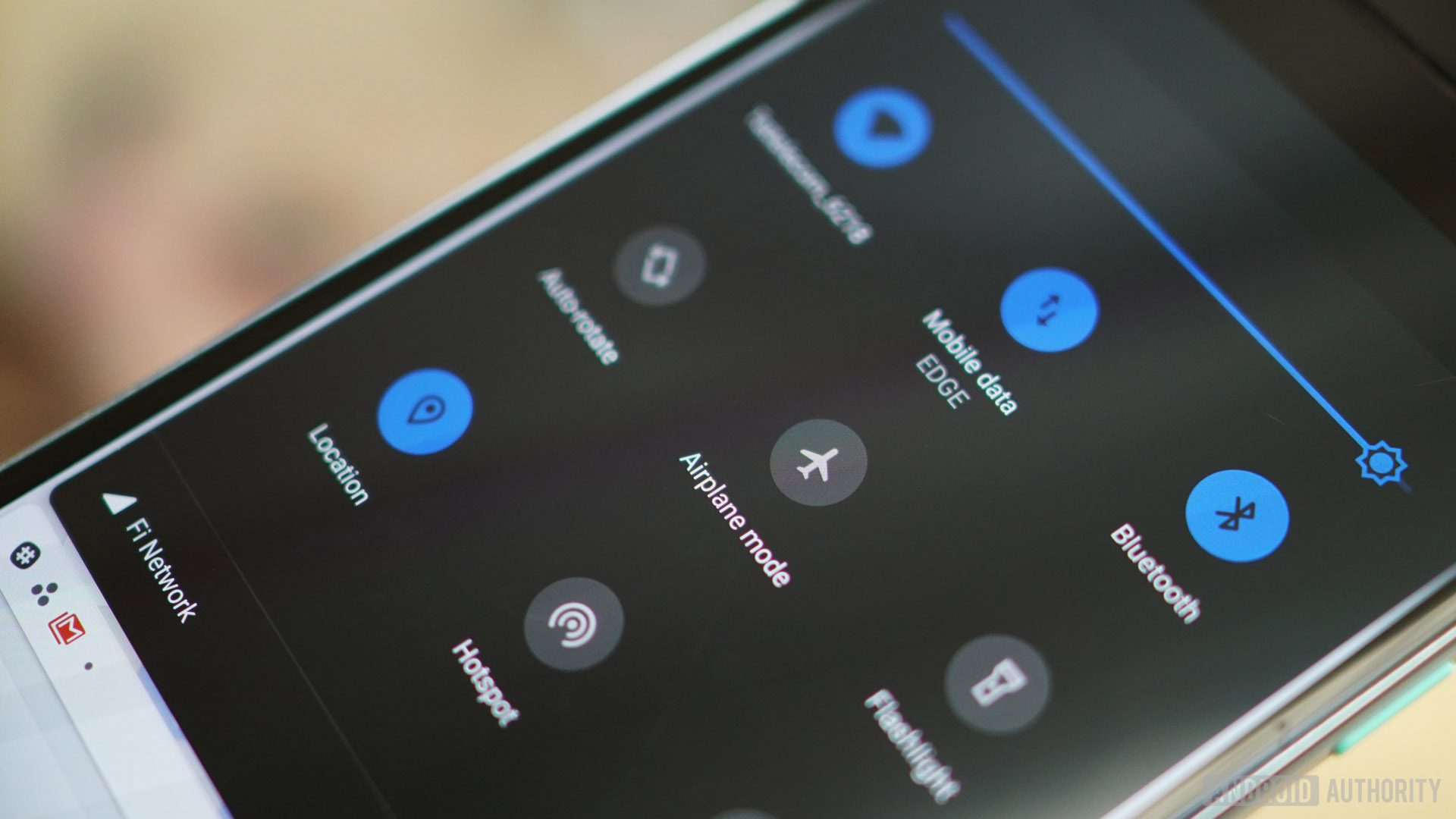
To get dark mode in instagram for your android 10 device, just permit the device-extensive dark mode toggle. you can try this from settings –> show –> dark subject matter, or you may simply faucet the "darkish subject matter" toggle on your brief settings panel. as soon as you enable the device-wide dark theme, the instagram app will flip dark, too. To turn on darkish mode for instagram, visit your ios or android tool settings. preserve in mind that: you’ll want to update your device’s working system to ios 13 or android 10 in addition dark for ig android mode to your instagram app. Instagram darkish mode for android 10 update 06. 09. 2019 instagram is one of the maximum famous and quickest growing social media structures. originally launched for ios handiest, in recent times it is to be had for android and laptop as nicely.
As soon as you have up to date to android 10, switch on your dark mode through going to settings > show > dark topic. you could also switch on dark mode through battery saving mode by means of going to settings > battery >. -> start the app. click on the "toggle darkish mode" button on the lowest. after you watch a brief ad, the dark mode may be activated and instagram must start. if it fails to begin for any reason, you could pick out the "begin net version" button. this can load the net version of instagram with a darkish subject matter. Apr 12, 2020 · as android 10 helps device-huge dark mode so enabling it'll automatically enable the dark mode for instagram. however, users strolling android 9. zero pie also can strive the same method in the event that they have an choice to show on darkish mode system-wide. as a few android os supports darkish mode on android 9. zero pie, as an instance, oxygen os, miui.


Komentar
Posting Komentar