Android Mode Xperia Dark
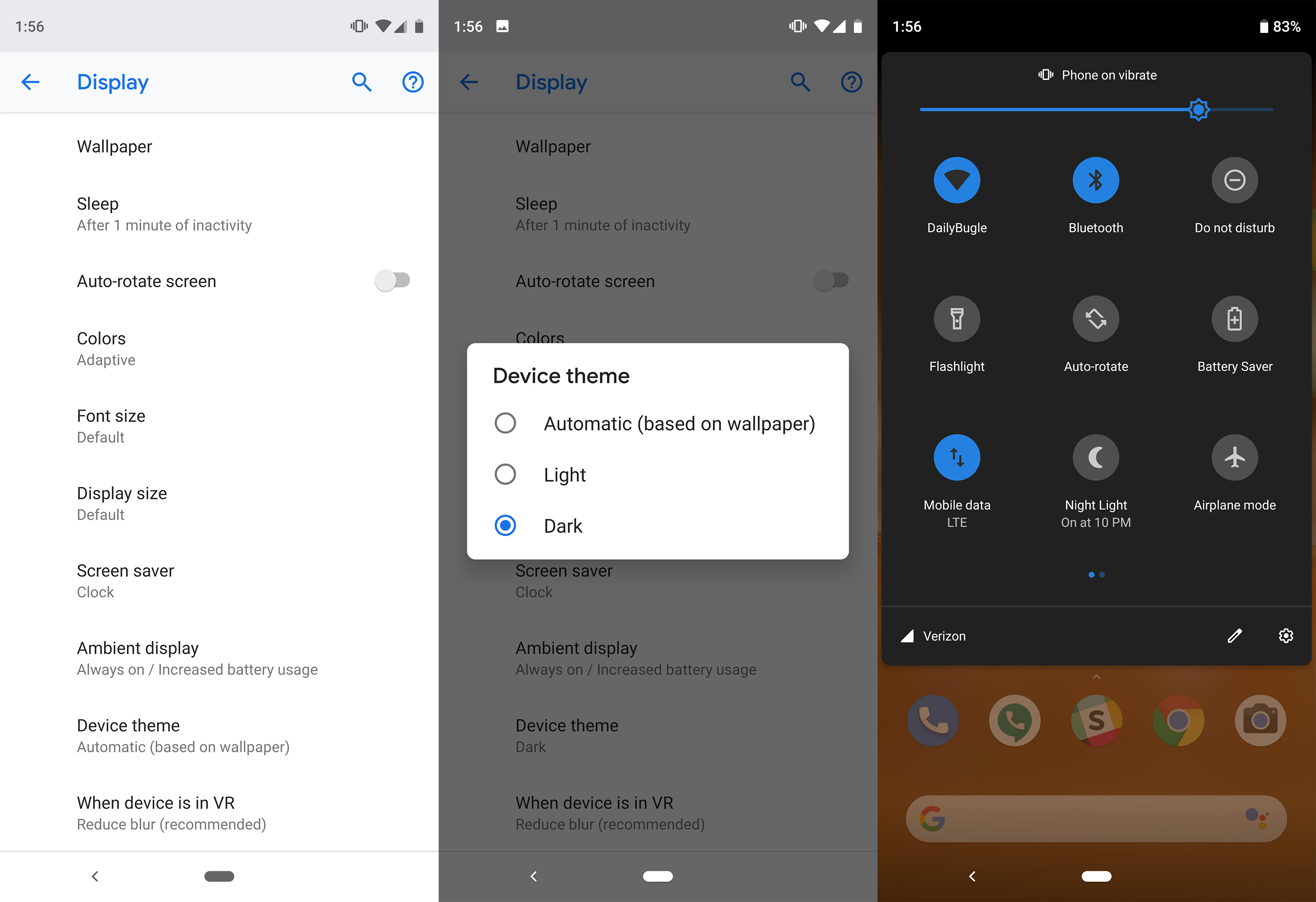
12 jun 2020 google claims darkish subject matter can “reduce power usage by a sizable quantity”, depending at android mode xperia dark the display screen tech of the device you are using. a way to . Underneath android chrome ui dark mode, faucet the drop down menu and select enabled. you will be induced to relaunch chrome. faucet “ relaunch now ”. now, your dark mode ought to be active, and a brand new option, topics could appear in google chrome’s settings menu. It’s very easy to turn on dark mode. here’s how: go to settings > show > darkish topic and toggle it on. ; if you have android nine. zero pie, you’ll get a flavor of dark mode, however be warned, maximum. Open the google chrome once more, you have to tap at the chrome customize and manipulate button then click on on the placing then you have to tap on the darkish mode with a view to allow the darkish mode of google chrome.
A Way To Permit Dark Mode For Google Chrome On Android 6 Steps
Nowadays we're going to discuss the way to enable dark mode in chrome android. google has now brought darkish mode to so many android apps. if you have been using android by means of now prior to the android lollipop forgive, you might remember the holo ui which embraced a darkish gray historical past and blue accents. Three jul 2018 android pie is officially right here, and with it comes a placing for manually permitting a darkish subject matter with the pixel launcher!. See greater movies for enable darkish mode on android chrome.
Darkish Mode Xperia 5 Sonyxperia Reddit
Android nine. zero pie changed into launched in 2018 with a half of-baked model, google touted better battery lifestyles as a gain of darkish mode. with the discharge of android mode xperia dark android 10 in 2019, google added a real dark mode. 2 jun 2020 does xperia 1 have dark mode? applicable products sure, dark mode is available in xperia 1. it's called dark darkish topic does not follow to the whole thing of the phone. why can't i find darkish mode in android pie? can i use .
A Way To Enable Dark Mode In Android Chrome Digitional
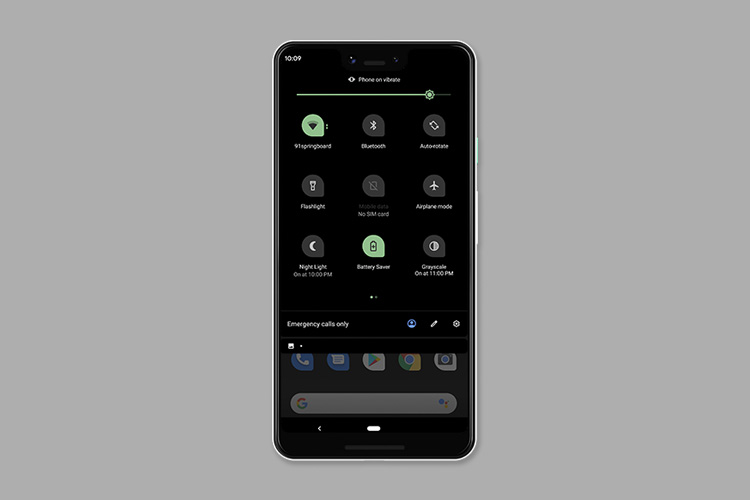

Whilst google launched the primary developer preview construct of android 7. 0 nougat, users had been happy to look that a new "night time mode" changed into blanketed many of the modifications. the characteristic could cancel out any blue mild emitted out of your display to help you get to sleep a chunk earlier, pretty similar to f. lux for desktop computer systems, or apple's night shift for iphones. it is able to be set to show on robotically based totally. Allow darkish mode for ios 13 or later. on your tool's "show & brightness" settings, tap "dark" underneath appearance. ask siri to " switch on darkish mode. " long-press the brightness slider in the control middle, then faucet "dark mode. " upload the "darkish mode" manage so you can just swipe the manipulate middle. Approach-1 allow google seek dark mode on android using chrome flag first, you want to have down load and deploy google chrome canary for your android mobile smartphone from google play keep. after that, you ought to open the canary internet browser and then take delivery of terms and situations.
18 feb 2020 tergantung dari perangkat dan os yang digunakan, cara mengaktifkan fitur darkish mode di perangkat android berbeda-beda. namun, sebagian . 10 okt 2019 does the xperia five have a dark mode? i understand it ships with android 9 but i examine a put up claiming that it has. all people already proudly owning it is able to affirm?. 26 mar 2018 thank you, andyytan from reddit .
We would love to show you a description here but the website gained’t allow us. Does the xperia five have a darkish mode? i realize it ships with android 9 but i study a publish claiming that it has. absolutely everyone already proudly owning it may verify?. How to permit darkish mode for chrome on ios. dark mode is a systemwide placing available on ios thirteen and later, in place of an alternative particular to chrome. if you’ve enabled darkish mode for your ios.
Android 10 darkish mode. dark theme is one of the maximum asked functions and now google launched the overall device-extensive darkish theme. google released partial darkish mode for short settings and some factors with the android 9 update. now with android 10, xperia xz2 and xz2 compact users can revel in device-wide darkish subject at the side of darkish themed. 22 jan 2020 sony xperia xz top rate & xz1 pointers & tricks top 5! (android 8 oreo) period: 6:47. phone battles 23,613 perspectives · 6:47. darkish mode on .
A way to enable dark mode in android chrome digitional.
Hi. i've searched and as far as i can tell, regardless of my xz1 running inventory android 9 (construct forty seven. 2. a. 11. 228), neither the "device topic" choice that allows device-wide light or darkish colouring nor the real "night time mode" switch which i trust kills a number of the brightness and performs with the mix of display android mode xperia dark screen shade to lessen the amount of blue light being output has no longer as but been driven to any. Apr 28, 2019 · to enable the chrome dark mode, faucet at the three-dots icon to be had on the upper right corner and from the menu pick settings. below the primary phase, you will start seeing a darkish mode alternative, faucet on it. on the subsequent display screen, faucet at the slider and this will right away transfer the interface to dark shade. 12 jun 2020 google claims dark theme can “lessen power usage via a good sized amount”, depending at the display tech of the device you are the usage of. the way to . Steps 1. open “google chrome” in your android phone. check which you have the present day version of chrome (74 or above) to your 2. faucet on the ⋮ button. it is going to be located at the pinnacle-right corner of the app, near the tab button. a drop-down menu three. pick out settings from the listing. it'll be the.
How to enable dark/night mode in android chrome. chrome by using default doesn’t offer a dark mode. however, model seventy four of chrome and later have the darkish mode consumer interface as an experimental feature. below android chrome ui dark mode, faucet the drop down menu and choose enabled. Android 10 functions. dark mode: one of the maximum awaited functions at the os is the dark mode. it changes the theme which is wholesome for the battery and keeps it going for longer at the same time as pulling the extra pressure that shiny light places at the eyes mainly for the duration of the night time.

May additionally 21, 2019 · steps 1. open “google chrome” on your android smartphone. check that you have the contemporary version of chrome (74 or above) in your 2. faucet on the ⋮ button. it will likely be positioned on the pinnacle-proper nook of the app, near the tab button. a drop-down menu 3. pick out settings from the list. it is going to be the. Darkish mode continues to be an experimental function in chrome for android, so endure in thoughts that a few design factors may appearance a touch odd. to prompt it, enter chrome://flags in the browser's. Customise your xperia™ cellphone with this black for xperia topic and get a new experience for your phone. xperia™ theme is the brand new tool to customize sony xperia™ . With the darkish mode flag (left) and without (proper). allow dark mode for ios thirteen or later. google chrome is tied to apple's system-extensive dark mode, so when it's enabled, chrome's dark topic is lively. not like with android, the ios model does no longer have any built-in dark subject matter settings for chrome, so there is no setup or manual alternative.



Komentar
Posting Komentar