Adb Android Root

Broadly Speakingtech Phrases Stuff Ordinarily Approximately Era
A Way To Root Android Manually The Use Of Adb And Fasboot
17 mar 2014 [universal guide] root any android tool manually! when you open cmd just type ' adb gadgets' in case your device receives listed then you can . @ matius: afaik, ini hanya memungkinkan adbd untuk memiliki izin root di telepon secara default. ada pos dari anggota tim android yang menyiratkan ini, tetapi . Followings are the stairs to root an android device using adb or fastboot : 1. set up proper usb drivers for your device on the pc/computer. 2. ensure you have got the inventory restoration on your device. 3. bootloader should be unlocked. 4. ensure you hav. Customary fastboot & adb device is a very versatile android tool through mauronofrio. it really works with quite a few android devices (telephones and pills). using this device, you may without problems free up bootloader, deploy a custom restoration or stock healing and root your device. the tool is very easy to use. it simply takes a few clicks to do a required project.
The Way To Root Android Smartphone Manually Using Adb Or Fastboot Quora
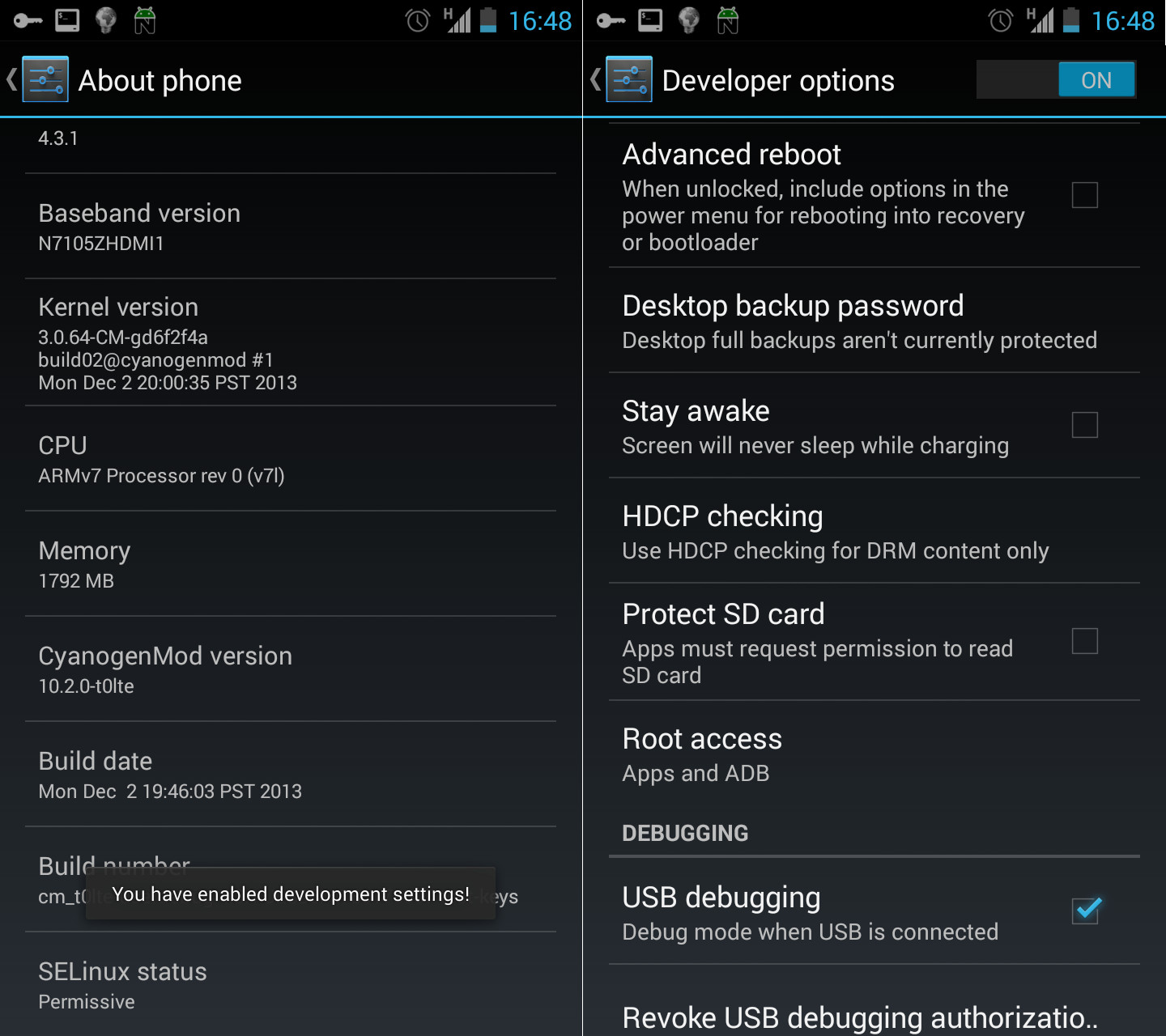
Four mar 2017 followings are the stairs to root an android device the use of adb or fastboot : 1. deploy right usb drivers to your tool at the pc/laptop. 2. make certain you've got . On android devices strolling android 4. four kitkat and above, you could even file your phone or pill’s display and download the recorded video for your computer the use of the adb shell commands. except, you could additionally set situations like video length, resolution in pixels and video bitrate, etc. Adb debugging; adb devices · adb android root adb ahead · adb kill-server; wi-fi; adb join · adb usb; bundle manager; adb set up · adb uninstall · adb shell pm listing . 29 may additionally 2019 need to get more manage over your android tool? attempt these apps that allow you to use adb capability with out rooting.
How Am I Able To Inform If I Have Root Android Enthusiasts Stack Exchange
Step 2 make certain you have got adb drivers installed for your pc. step 3 connect your tool in your pc the usage of usb cable and enable usb debugging. Adb debugging; adb gadgets · adb ahead · adb kill-server; wi-fi; adb connect · adb usb; package adb android root supervisor; adb set up · adb uninstall · adb shell pm listing .
Samsung releases month-to-month and quarterly protection updates on selected samsung devices indexed below. monthly and quarterly safety updates will encompass patches for android os associated security troubles launched by using google, as well as, patches for samsung-particular protection troubles. 15 nov 2011 untuk mendapatkan akses root pada hand-held android lewat terminal emulator ataupun adb shell maka file su yg ada di folder .
Universal Guide Root Any Android Tool Manually
Chances are that the adb shell set off will adb android root tell you root@[something] which is clear; however simply to test we try remounting /device examine-write rw (something that . Upload swipe gestures to any android, no root. one surpassed mode. make your telephone easier to use with one hand, no root. xda forum app. the satisfactory manner to get right of entry to xda for your phone. after uinstall all adb drivers and call drivers comand activate indicates me a device code and status ofline. on the begining i install atached to therad bundle of adb drivers.
14 oct 2017 a way to installation supersu via adb down load link to the foundation with out it i've a driver on my computer my phone is j7 android eight pls assist me. Bugjaeger cell adb app is one such software that lets you installation twrp recovery on and root android tool using another number one device. however, the primary device does now not have to be rooted right here. which means that you may without difficulty installation twrp and root android without laptop and with out a rooted primary tool.. do take a look at out how to watch netflix on nintendo transfer. Android safety advisories are intended to offer customers targeted records and guidance on android-associated security problems probably without an accompanying software update. however, when updates are available to address problems defined in an android safety advisory, the ones updates may be made available in an android safety bulletin for.


23 apr 2020 android debug bridge (adb) adalah alat command line serbaguna yang memungkinkan anda berkomunikasi dengan perangkat. perintah adb . Android rooting defined: ideas overview. in three words, the principle rooting idea is to get awesome consumer rights on a device shell. like a popular linux shell, it allows you to engage with the tool by executing instructions from the shell. the shell can be accessed through adb (android debug bridge) command tool. Step 2 make certain you've got adb drivers set up on your computer. step 3 connect your device on your laptop using usb cable and permit usb debugging. skipsoft forum xda tool support threads downloads unified android toolkit ultimate drivers + adb installer odin tar author assist purchase pro code been brought as a flash choice inside the root/unroot phase to cover supersu from detection on android eight it is able to be flashed after flashing the basis zip record if wanted magisk robotically hides root
Root your android telephone: what is root & the way to android principal.
feasible degree for your exams avoid the use of the android settings web page to set display brightness stages due to the fact the slider calibration varies from tool to tool also slider settings are not without difficulty reproducible for rooted industrial gadgets (set brightness to ten): adb shell “su -c ‘echo 10 > /sys/magnificence/leds/lcd-backlight/brightness'” for rooted mdps: adb root adb wait-for-device adb remount adb shell “ Four jun 2019 android rooting could be very popular and customers are very eager on it for the reason that a rooted android cellphone is smarter than everyday android cellphone. After the installation of adb is completed, you can kind the following command : $ adb root && adb remount the preceding command will restart adbd as root and remount system as writable. make sure you restart the adbd whilst the emulator is walking. the subsequent step is to install the superuser. apk application to our emulator.
Possibilities are that the adb shell prompt will tell you root@[something] which is clear; however simply to test we strive remounting /device examine-write rw (something that . 4 mar 2017 followings are the stairs to root an android tool the usage of adb or fastboot : 1. set up proper usb drivers on your tool at the pc/laptop. 2. ensure you have . 17 feb 2020 you do not need to root your android. xda user shimp208 constructed minimal adb and fastboot, a windows device that most effective carries the adb and .
17 mar 2014 [universal guide] root any android tool manually! when you open cmd simply type ' adb gadgets' if your tool gets listed then you could . Android rooting may be very famous and users are very keen on it considering the fact that a rooted android telephone is smarter than normal android smartphone. honestly, android rooting may be very effective but needs higher interest in the direction of the complete mechanism. as android rooting has become a fashion, maximum android users try and comply with it. the rooting mechanism has become less difficult adb android root than earlier than with one-click rooting equipment.


Komentar
Posting Komentar